
A voice layer for your coding agents.
Run more agents.
Stay in flow.
One call over your Claude Code, Codex and OpenCode sessions. Say a session's name to send it work, ask what each one did, and answer permission prompts with a yes or a tap.
Teams using Pointe at Ballerine report up to 1.6× more output across their agents. Self-reported, 2026. Not a benchmark.
Download for MacGet it on your MacInstallWatch it work
Pointe 0.8.2 · macOS 15+ · 4.6 MB
Runs on your Mac. No server, no account. Your own model keys, or local models. MIT.
Three problems with running several agents.
TodayFive sessions on two machines. You remember which tab is doing what.
With Pointe“What’s billing doing?” “It finished the retry fix. Tests pass.” One call covers every session.
TodayYou type each prompt and read each reply, one tab at a time.
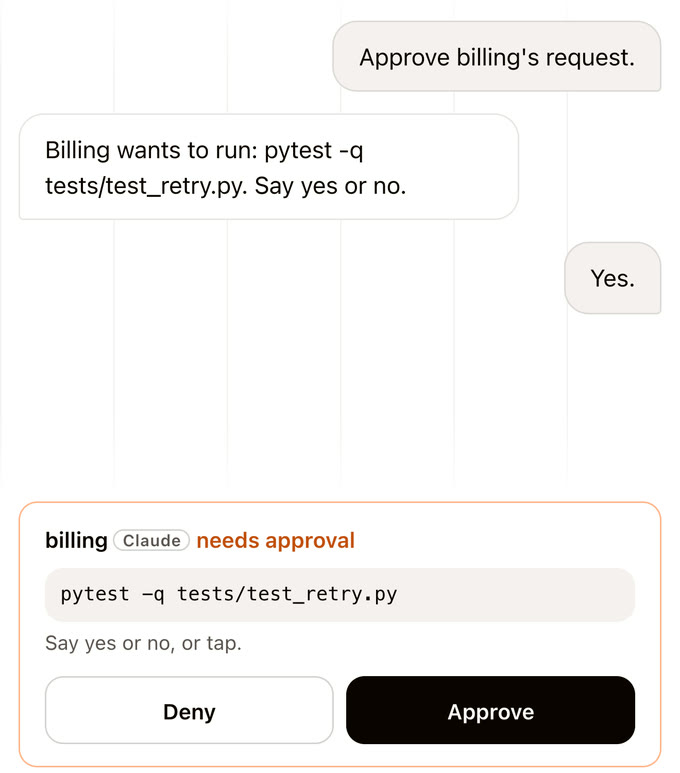
With Pointe“Tell docs to update the changelog.” “Docs is on it.” A permission prompt is read out: say yes, or tap.
TodayA session that needs approval waits until you are back at the desk.
With PointeThe same call runs in the iPhone app and the Mac menu bar. Approve from the phone.
Why not ChatGPT voice, or another voice assistant? A voice assistant talks with its own model. Pointe talks with the Claude Code, Codex and OpenCode sessions you already run.
Before
Five agents, one keyboard.
 AI-generated footage
Type every prompt.
 AI-generated footage
Hunt for the right tab.
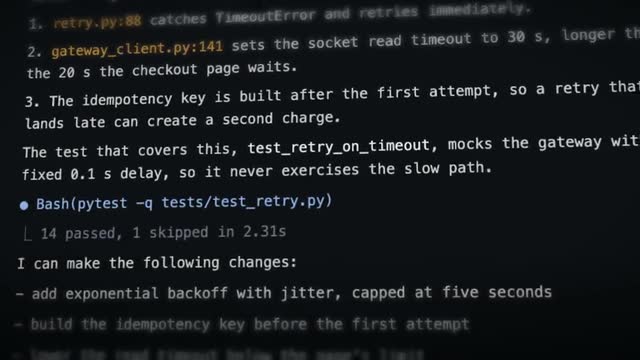 Drawing, invented text
Read every reply.
 AI-generated footage
Watch the screen all day.
With Pointe
Five agents, one call.
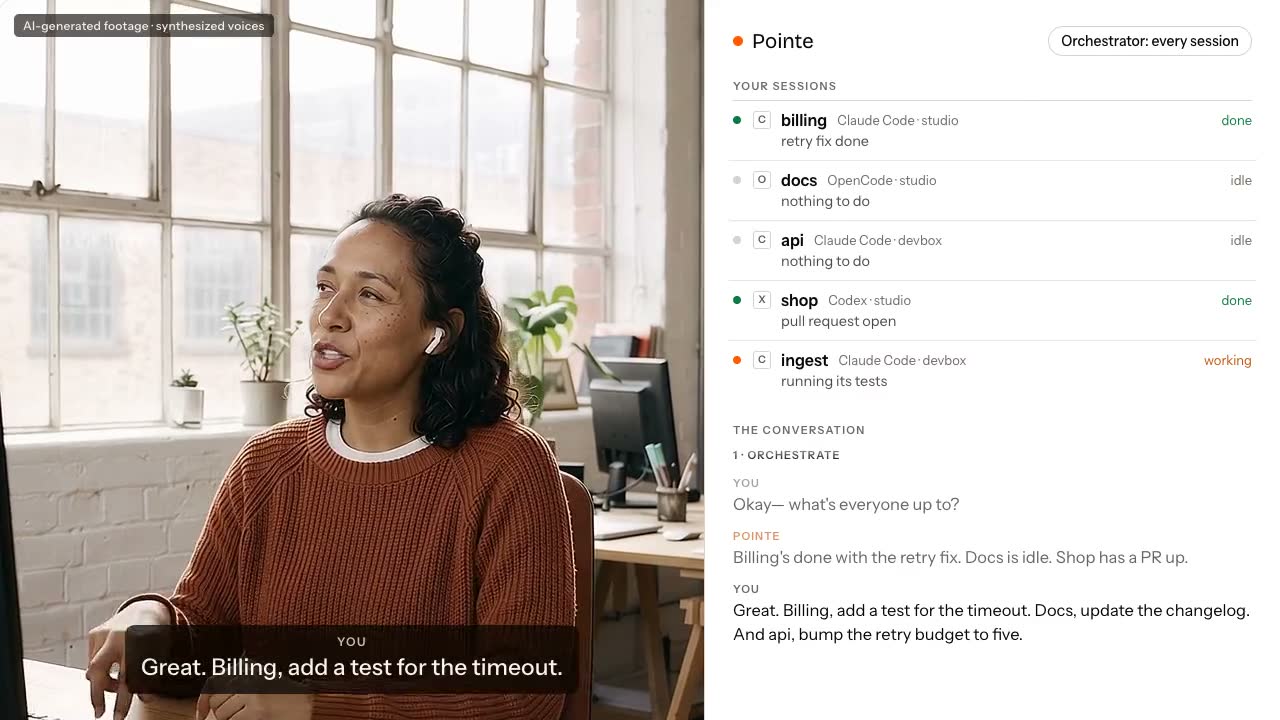
One minute.Three sessions sent work in 9 seconds, one design decision made, one pull request explained. No tab opened.
The footage is AI-generated. The voices are ElevenLabs; Pointe's is the product's default. The panel is a drawing in the product's look, with invented sessions and shortened work.
A day with Pointe
From 09:20 to the next morning.
-
09:20 Sessions by voice
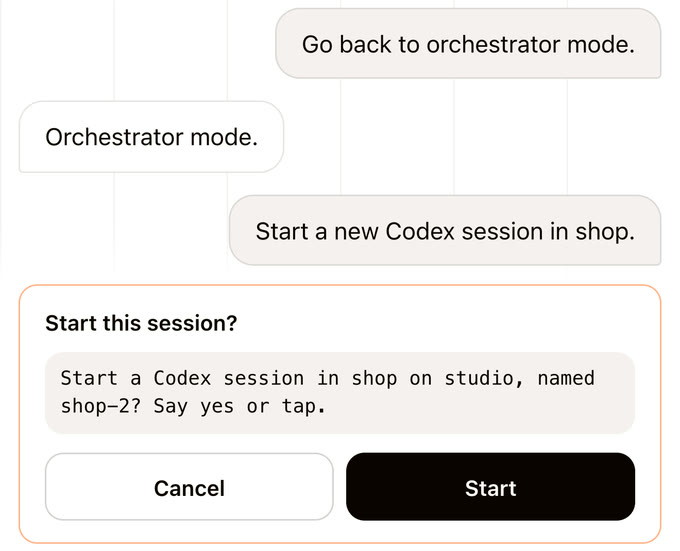
Start a session by voice.
“Start a new Codex session in shop.” Pointe reads it back and starts it on your yes.
 AI-generated footage
-
10:40 Mac app
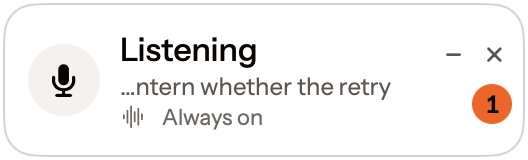
Hold a key and talk.
The call sits in the menu bar. Hold the shortcut in any app to talk; let go to send.
 AI-generated footage
-
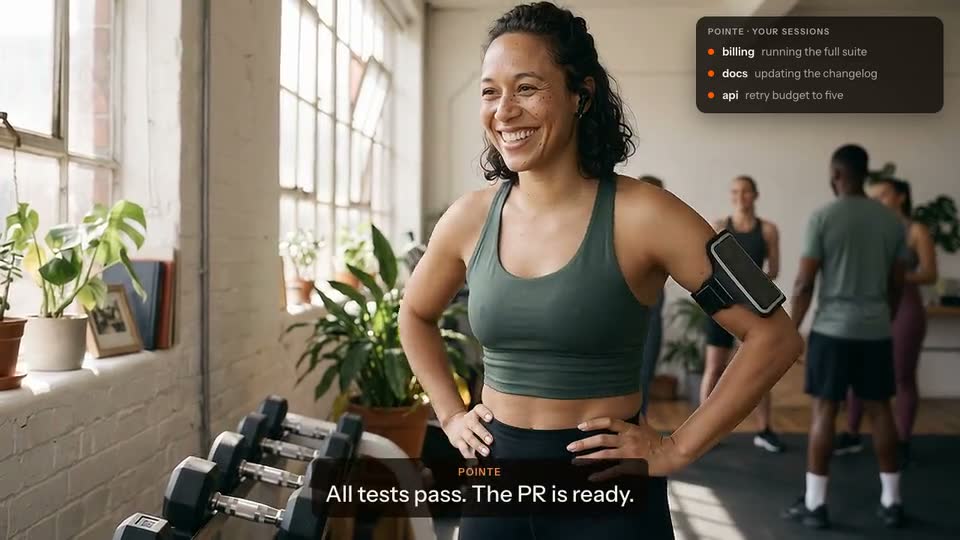
13:00 Workout
At the gym, between sets.
Phone in the pocket, earbuds in. “How’s billing doing?” “All tests pass. The PR is ready.” “Ship it.” Back at the desk, billing is merged.
 AI-generated footage
-
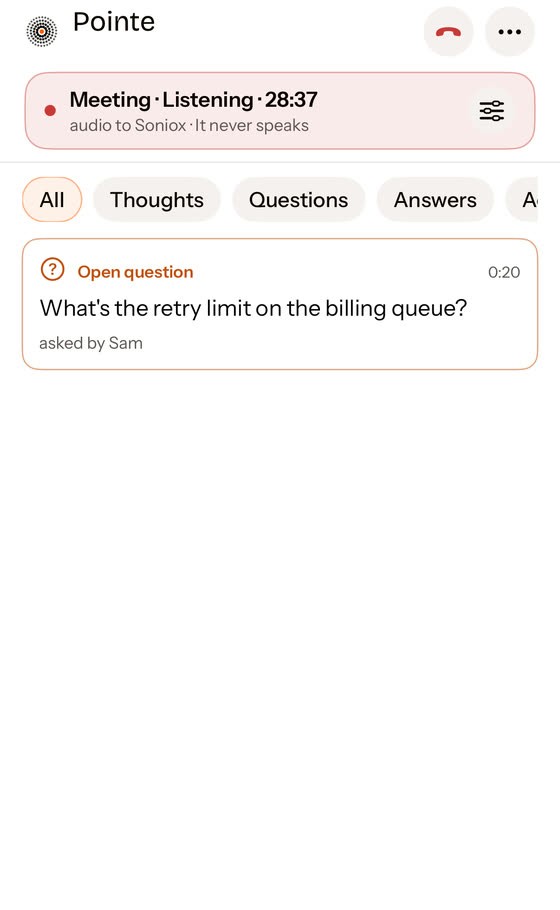
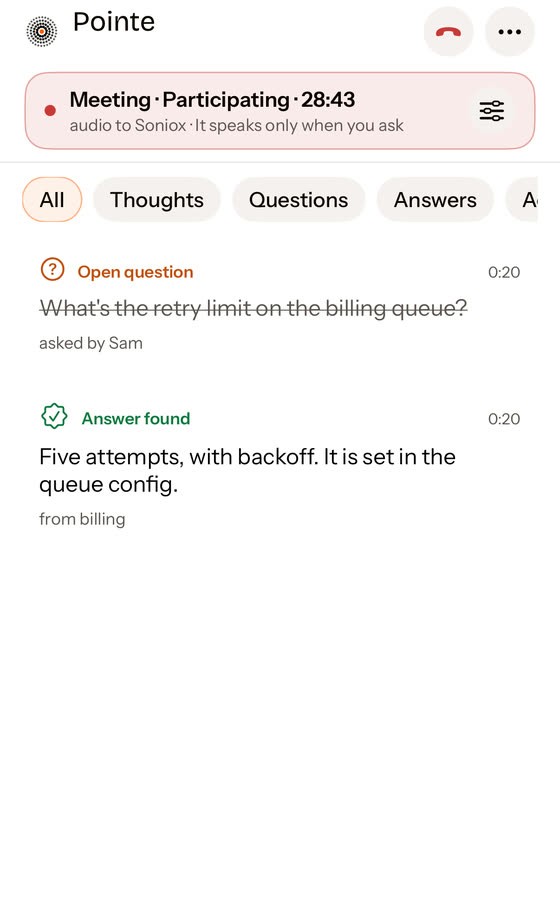
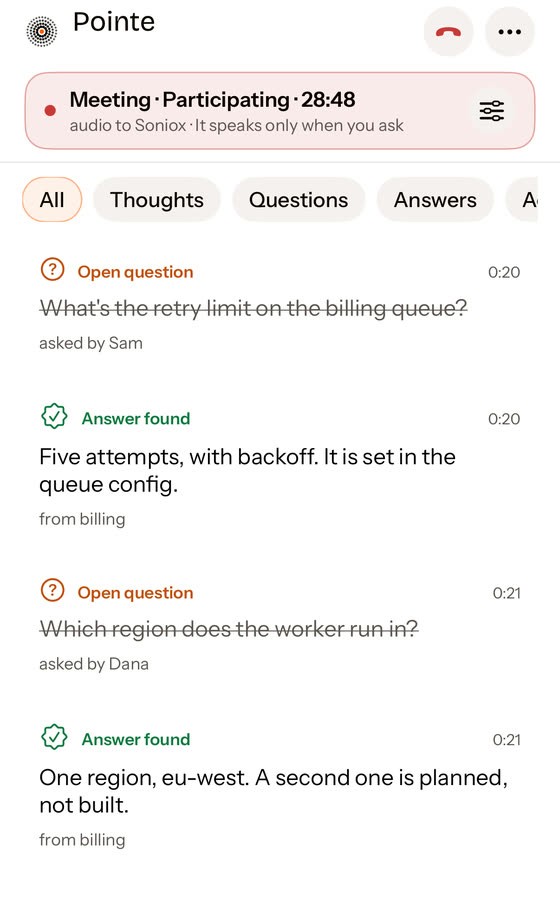
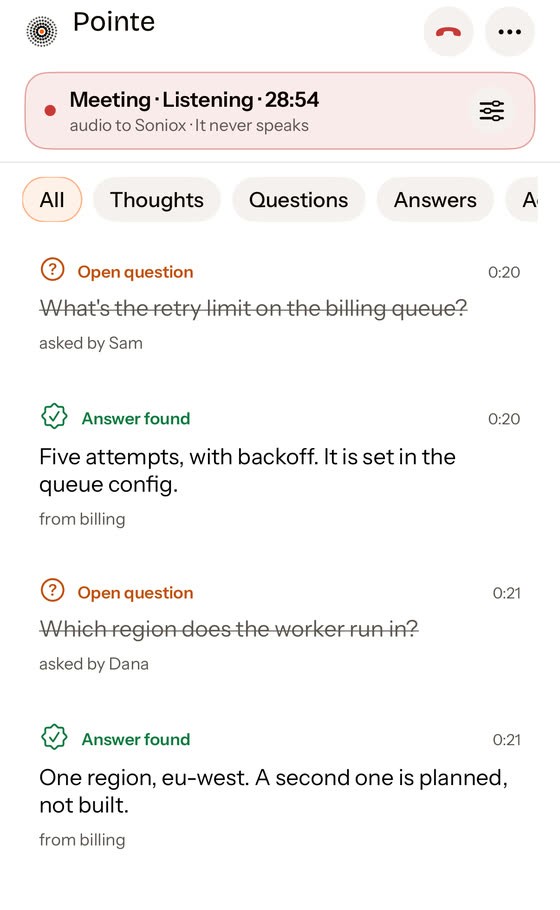
14:00 Meeting mode
In a meeting, it takes notes.
It never speaks until you tap. Then it answers the room from the billing session: “Five attempts, with backoff.”
 AI-generated footage
-
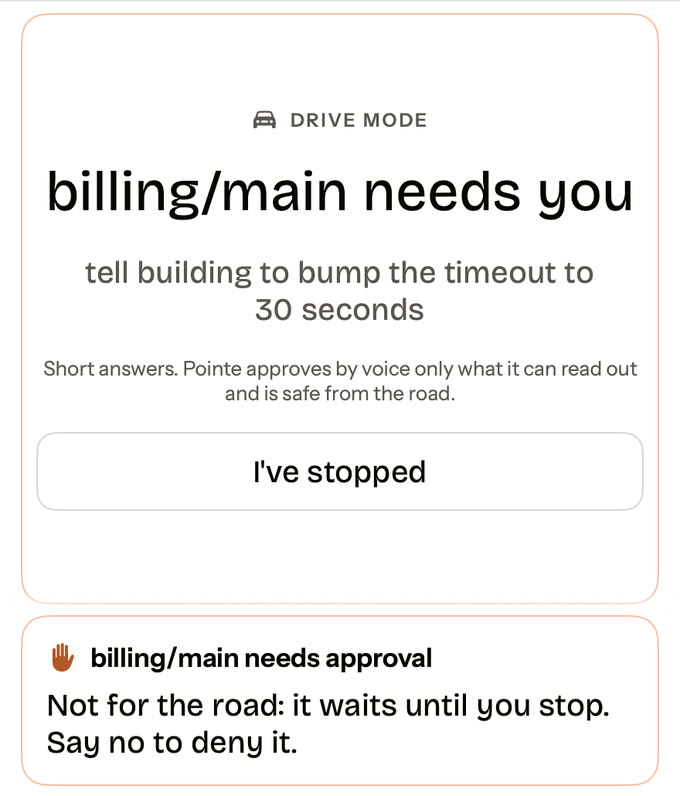
16:30 Drive mode
Short answers on the road.
Say “drive mode”: answers get short, and a yes approves only what is safe from the road.
 AI-generated footage
-
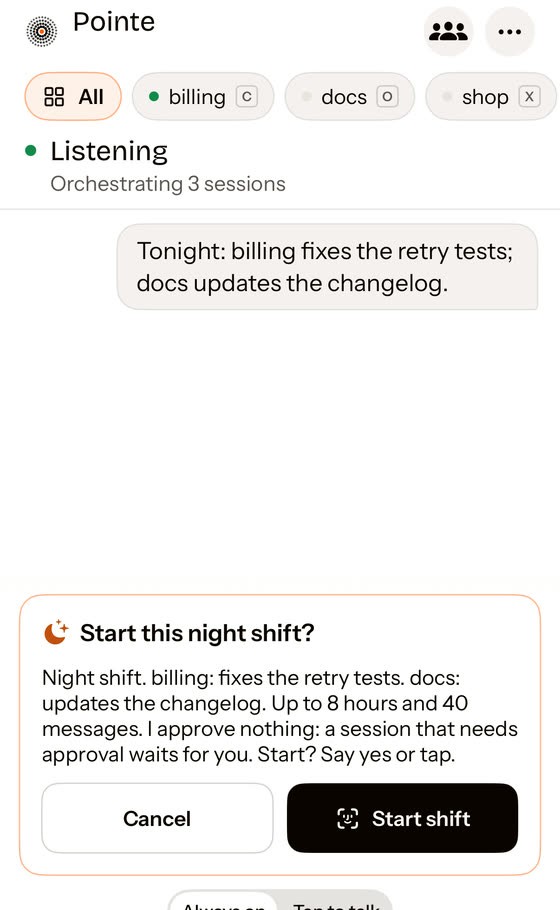
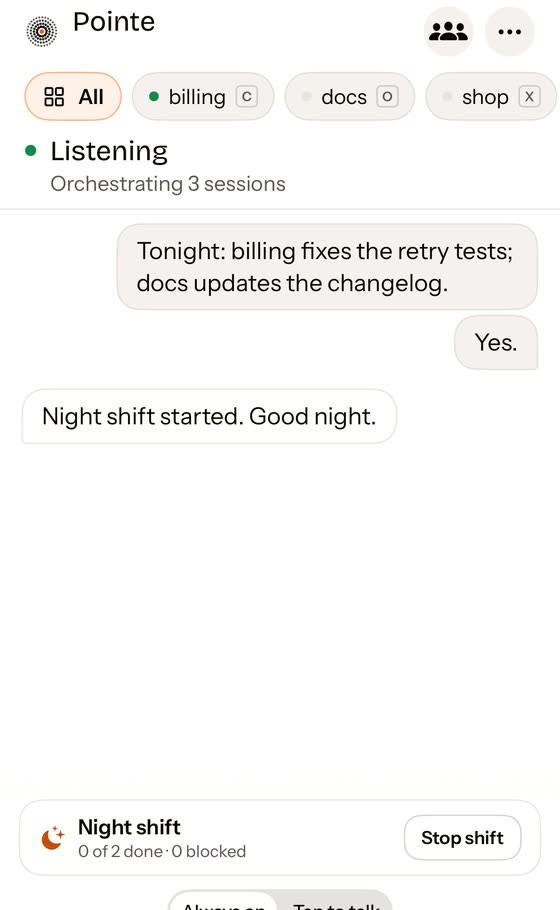
22:40 Night shift
The agents work overnight.
“Tonight: billing fixes the retry tests; docs updates the changelog.” One tap, and Pointe keeps both moving, for up to 8 hours. It approves nothing.
 AI-generated footage
-
07:40 Morning briefing
The briefing, the next morning.
“Brief me on the night.” What was decided without you, what waits on you, and what is done.
 AI-generated footage


The footage is AI-generated and shows an invented person. The panels on it are screenshots of the product with invented data.
- Cost
- About $1 a busy hour on your keys. Free on one Gemini key. $0 fully local.
- Models
- You choose each role: Claude, Gemini, OpenAI, Soniox, ElevenLabs, or local models.
- Needs
- macOS, Chrome, headphones, one model key, and Claude Code, Codex or OpenCode.
- License
- MIT. Version 0.8.2.
Machines
Say a name. Pointe finds the session, on any machine.
One Mac holds the call. Other Macs and Linux hosts join through a small node, in the same conversation. How machines pair.
A diagram of Pointe across three machines. In the middle is the hub, a Mac named studio, which holds the call: an orange point, your voice, with rings of dots around it. The hub runs three sessions: shop on Claude Code, docs on OpenCode and river-lantern on Codex. Two other machines are joined to it as nodes: devbox, a Linux host, runs billing on Codex and ingest on Claude Code; laptop, another Mac, runs notes on OpenCode and api on Claude Code. An iPhone is joined to the same hub. Three things happen in turn. One: you say “Ask billing on devbox to run the tests”, a wave of dots goes from the point to devbox, billing starts working, and its report comes back and is spoken. Two: notes on laptop needs approval; the request travels to the hub, is read out, and shows on the phone with Deny and Approve; a tap on Approve travels back to laptop. Three: you ask “What's going on everywhere?” and Pointe answers machine by machine.
- Send by nameSay a session's name, and the machine's when two share it. Pointe sends your words there and speaks the report when it ends.
- Approve from anywhereA permission prompt on any machine comes to the hub. It is read out, and shown on the page and the phone: say yes, or tap.
- Ask about all of them“What's going on everywhere?” is answered machine by machine, from the record Pointe keeps of each session.
A drawing of how the parts connect, not a recording. The names are invented. A node has no microphone, no models and no keys.
How it works
A daemon on your Mac, between your voice and your sessions.
A Python daemon built on Pipecat runs the call. Each session gets an adapter that reads its transcript, sends your requests and holds its prompts.
The daemon on your Mac
Ears→Echo guard→Brain→Mouth
The LLM acts only through tools, and speech is a tool call checked in code before it is said.
ApprovalsWhat may be read out, and what counts as a yes.
GateChecks each send against what you said. It lowers injection risk; it does not remove it.
ReaderNotes, reports, briefings, meeting notes.
Reach it from Chrome or the Mac app (loopback only), or the iPhone app (paired by QR code, pinned TLS). Each role is a vendor you choose, under your key, or a model on your Mac. how-it-works.md
Approvals
What a spoken yes can approve, and what it cannot.
Spoken words can make a session act, so the rules are code with tests, not a prompt.
| What happens | Result |
|---|---|
You say yes, and all of these hold:
| Approves |
You tap Approve on the exact request, on the page, in the iPhone app (Face ID) or in the Mac app (Touch ID or your password). A request the
daemon cannot read out whole (unknown programs or flags, $, globs, subshells, several lines,
sudo, more than 25 words) is approved only this way. | Approves |
| You answer in the terminal, as always: your Claude Code deny rules still apply. Or a notification's Approve, only if you turned it on, and only for a request that could be read out. | Approves |
| "Okay, tell me more", "yes, and run the linter", silence, or a yes to any other question. An echo of Pointe's own voice. Words typed in the call or as a correction. A voice match by itself. Any mode: drive, whisper, meeting, briefing and challenge can only narrow what a word may do. | Nothing |
The request holds a credential-like value: a key, a token or password=. Detection is by
pattern, so it can miss one. | Not read out. Masked on screen, waits for a tap |
| Anyone says no, in every mode. | Denies |
| Another person in the room, a video or a podcast says yes right after a read-out. Voice is not authentication. The voice lock narrows a yes to your voice; it is off by default, and a recording of your voice can pass it. Do not use voice approvals in a room you do not trust. | Approves, with the voice lock off |
About 13%
of our own shell commands can be read out. The rest need a tap or the terminal, by design.
Two adversarial reviews found 24 ways around earlier rules; each is now a test in test_security.py. The page always shows the exact request.
To keep every prompt in the terminal, set "approvals": "terminal". Threat model:
SECURITY.md.
What leaves your Mac, and where it goes.
No server, no telemetry. What leaves the Mac goes to the vendors you chose, under your keys. Ballerine receives none of it.
| What | Goes to |
|---|---|
| Your speech while the microphone is open, plus hints: your dictionary, session and folder names, names from session notes | The ears vendor: Soniox, Google Gemini, OpenAI or ElevenLabs |
| Session content: transcripts, notes, reports, briefings, conflict checks. This can include your code. | The brain and reader vendors: Anthropic, Google Gemini or OpenAI |
| What the bot says, which can quote session content | The mouth vendor: ElevenLabs, Google Gemini, Soniox or OpenAI |
| What you said, each session's latest lines, goal, folder path and up to 40 file names | The vendor you set for the gate: Google Gemini, Anthropic or OpenAI |
| In a meeting you started: the room's audio, and transcript windows | Soniox, and the reader vendor |
pointe local voice: no audio leaves
Whisper and Kokoro on the Mac. Your words still reach the text vendors.
pointe local: nothing leaves
Whisper, Kokoro and Gemma on the Mac; no key is read. Needs Apple silicon and 32 GB. Less accurate: 76.9% against 91.9% for Sonnet. local.md
Always on the Mac
Your voiceprint, call journal, notes and briefings. Keys come from the Keychain and reach the daemon only.
PRIVACY.md. This page has no analytics.
Evidence
What we can show, and what we cannot.
Measured in Pointe, and one engineer's use, kept apart. Where we have no number, we say so.
Measured in Pointe
2.11 s
last word to first sound, median
p90 2.50 s. 24 turns, synthesized speaker, 2026-11-20.
13%
of our shell commands can be approved by voice
From our own Claude Code history.
$1
about, for a busy hour
60 replies, by arithmetic from list prices. Not counting your agents' own spend.
3.4 s
median reply, fully local
Against 1.8 s for Sonnet, on an M5 Pro.
How the latency was measured, stage by stage
tests/e2e/latency.py asks twelve plain questions on a live call, with a synthesized
voice as the user, and stamps each turn stage by stage. Vendors: Claude Sonnet 5.5 as the brain, Soniox ears,
ElevenLabs mouth. One 18-core Mac that other work kept busy. Run it with your own keys. It calls paid APIs.
The headline is the run on Soniox stt-rt-v6, which Pointe uses since 2026-11-20 (the same day, v5 gave 2.02 s and 2.66 s). The stage table is the last full run, on v5 in a pre-release build of 2026-11-16: 1.86 s median, 2.21 s p90, slowest turn 4.19 s. On v6 the ears stage is 0.47 s median, 0.60 s p90. No end-to-end run after 2026-11-20 is recorded yet. The 1.08 s wait before the turn is taken is deliberate: a shorter one cuts people off mid-sentence.
Source: conversation-flow.md §7, benchmarks.md.
| Stage | Median | p90 |
|---|---|---|
| Ears: last word to final transcript | 0.46 | 0.52 |
| The turn is taken, after the last word | 1.08 | 1.10 |
| Model: request to first token | 0.74 | 0.82 |
| Mouth: request to first audio | 0.22 | 0.33 |
| Client: playing to audible | 0.07 | 0.11 |
| Last word to first sound | 1.86 | 2.21 |
One engineer's 14 days of use
| Calls with at least one spoken turn | 33, on 10 of the 14 days |
| Time in calls, from connecting to the last turn | 8.6 hours |
| Sessions joined when a call started | median 5, most 6 |
| Spoken turns, and words | 443 turns, 5,667 words |
| Requests sent to sessions, counting any the gate refused | 171 |
| Side questions to a read-only copy | 19 |
| Brain dumps | 1 |
| Permission prompts answered through Pointe, by voice or by tap | 0 |
3 to 16 November 2026, counted from the call journal on the Mac of the engineer who builds Pointe, so some calls were tests of it. Counts and durations only; no transcript text was read for this. One person is not a study. The zero is real: the journal records no prompt answered through Pointe in these two weeks.
Get Pointe.
For macOS. You bring one model key, or run fully local on Apple silicon.
Mac
Download for Mac (.dmg)
Drag to Applications, open, and Pointe sets itself up.
iPhone
iPhone beta on TestFlight
The same call in your pocket. Pair it with one QR code on the Mac.
Other ways to install
With the agent you use: Claude Code 2.1.224+, Codex 0.160+ or OpenCode v2. Chrome and headphones too.
- Install the pluginTwo commands.
- Run
/pointe:setupAbout 5 minutes, free with one Google key. The key goes to your Keychain, never the chat. - Run
/pointe:voicein each sessionAllow the microphone, press Connect, say hello.
$ claude plugin marketplace add https://github.com/ballerine-io/pointe.git
$ claude plugin install pointe@pointe

# in a new Claude Code session
> /pointe:setup

# in each session you want on the voice
> /pointe:voice- Run the installerIt asks first, checks a SHA-256, needs no sudo.
- Run
pointe setupYour key and your first call. Your shell changes only on your yes. - Join a Codex session
pointe join codexin the project's folder.
$ curl -fsSLO https://eng.ballerine.com/pointe/install.sh
$ bash install.sh
$ pointe setup

# in a new terminal, in a project
$ codex
# in that folder, in another terminal
$ pointe join codex- Run the installerIt asks first, checks a SHA-256, needs no sudo.
- Run
pointe setupYour key, your first call, and a/voicecommand in OpenCode. - Join an OpenCode sessionType
/voiceafter a restart.
$ curl -fsSLO https://eng.ballerine.com/pointe/install.sh
$ bash install.sh
$ pointe setup

# in an OpenCode session, after a restart of OpenCode
> /voice
# or, in the session's folder
$ pointe join opencode
What this does to your Mac. Remove it with
pointe uninstall. To build the apps from source: pointe apps mac, pointe apps ios.
Free to try with one Google AI Studio key: a small quota, and Google may review that tier's traffic. Keys per setup: setups.md. More options: Install.
Other ways to talk to a coding agent.
The closest tools, from their public docs as read on 2026-11-19. They change; follow the links.
| Attribute | Pointe | Happy MIT · voice docs · source | Codex voice built into Codex · docs | Claude Code /voice built in · docs |
|---|---|---|---|---|
| It talks back | Yes | Yes, on ElevenLabs | Yes | No. Dictation into the prompt |
| What it covers | Claude Code, OpenCode and Codex sessions in one call. Running Claude Code and OpenCode sessions join as they are | Claude Code, Codex and other agents, started through happy | Codex tasks: start, check, switch between them | The Claude Code session you dictate into, or a background one in agent view |
| Approving by voice | Rules in code with tests. A command the daemon cannot read out word for word needs a tap | Reads requests aloud; allows or denies when you say so, or accepts the ones that follow if you tell it to | Voice "follows the same permissions as the tasks it directs"; no spoken approval described | No |
| Server and account | None. A daemon on your Mac | A relay syncs your devices, end-to-end encrypted. You can host it yourself | Runs inside Codex, under its sign-in | Claude.ai sign-in. Audio goes to Anthropic |
| Cost of voice | Your vendor keys, about $1 a busy hour, or local models | Free 20 minutes every 30 days, then a subscription, or your own ElevenLabs agent | In the desktop app, a paid ChatGPT plan | Not counted toward usage limits |
| Runs on | macOS, in Chrome or the Mac app. iPhone app in TestFlight beta | App Store, Google Play, web, Windows, Linux | Codex CLI 0.156.0 or newer, ChatGPT desktop app | macOS, Linux, Windows; 20 dictation languages |
| Where it is ahead of Pointe | n/a | Store apps, more platforms, more agents, and many more users: about 24,700 GitHub stars | Nothing to install, no keys | Nothing to install, no keys, more platforms |
Dictation and Pointe work side by side. More tools: the README's table.
What it does not do.
- The Mac is the hub. Other Macs and Linux hosts join as nodes, with no audio. No Windows.
- Beta apps. The iPhone app is a TestFlight beta. Without the apps, the page works, in a phone browser too. phone.md
- Synthetic evidence. The benchmarks and voice-lock thresholds use synthetic voices.
- The voice lock is not authentication. A recording of your voice can pass it.
- Echo. On laptop speakers only Soniox ears have the echo guard; otherwise, use headphones.
- Untested hardware. Drive mode is not measured on car audio. Phone alerts need the app running.
- Launch mode uses
--dangerously-load-development-channels. Claude Code requires it for a channel outside its allowlist, and warns at start. - Code running as you is trusted. It can read Pointe's token and act as you.
Working group
Teams that use Pointe report what breaks and weigh in on the roadmap and the benchmarks. Members get early builds and a channel with the maintainers.